
Collect a well-defined submission without confusing form access with document access.
Define a Submission Before Designing the Form
Suppose a hypothetical neighborhood workshop accepts repair requests. One row should mean one request, not one customer and not one visit. A requester may submit several requests over time. Keep the request identity separate from any later customer or appointment record.
Collect the minimum information needed to decide the next step. A useful initial contract might include contact preference, item description and a short problem statement. Do not add fields merely because a spreadsheet already has those columns. Review sensitive or unnecessary fields before publication.
Connect the Form to the Intended Table
The official Form guide describes adding a form widget against a table, configuring fields and previewing before publishing. It distinguishes preview from making the form available. Publishing is an owner action, and the initial publish dialog explains the access being granted.
Use that dialog as a review point. Confirm the table and exposed fields rather than assuming the form only reveals what its designer can see in the editing screen. This article does not claim that any particular form or access configuration has been tested.
Documentation: Grist: Form Widget
Use a Small Submission Acceptance Set
Use synthetic submissions that cover an ordinary request, a missing required answer and a repeat submission. Record what the sender should see and what the operator should find in the table. A friendly success message is only one part of the workflow.
- Preview field labels and help text on a narrow screen.
- Check which fields are required and which are deliberately optional.
- Publish only the synthetic rehearsal form for the intended test audience.
- Submit the ordinary and incomplete examples.
- Inspect the destination rows and any default values.
- Review submission options and the intended repeat-submission behavior.
Documentation: Grist: Form Widget
Plan Ownership and Retirement
Decide who reviews incoming rows and how a request changes from new to triaged. If nobody owns that queue, collecting better data does not improve the service. A follow-up process can remain manual as long as its owner and expected action are clear.
The official guide documents unpublishing, which disables the shared form link. Include link retirement in the handover checklist when a campaign or intake period ends. Keep any data retention decision separate from stopping new submissions.
Documentation: Grist: Form Widget
Hypothetical repair-request form checks
This is an illustrative worksheet to adapt to your own evaluation. It is not a measured product test or a claim about results in your installation.
| Submission | Expected Sender Experience | Expected Data |
|---|---|---|
| Complete request | Clear completion message | One reviewable request row |
| Required contact omitted | Prompt to complete it | No falsely accepted request |
| Same person submits twice | Matches chosen policy | No unreviewed assumption of deduplication |
| Retired form link | No new intake | Existing records retained according to policy |
A form is complete when its sender experience, destination records and review ownership agree.
Inspect the official interface evidence
These previously captured interfaces provide orientation. Their versions and dates are distinct from the documentation review above.
Inspect the interface, with its context.
Open a specimen to see the source image and the observations it supports. A vendor demonstration is distinct from a self-hosted installation.
GristOfficial public demo · Demo identifies v1.7.20
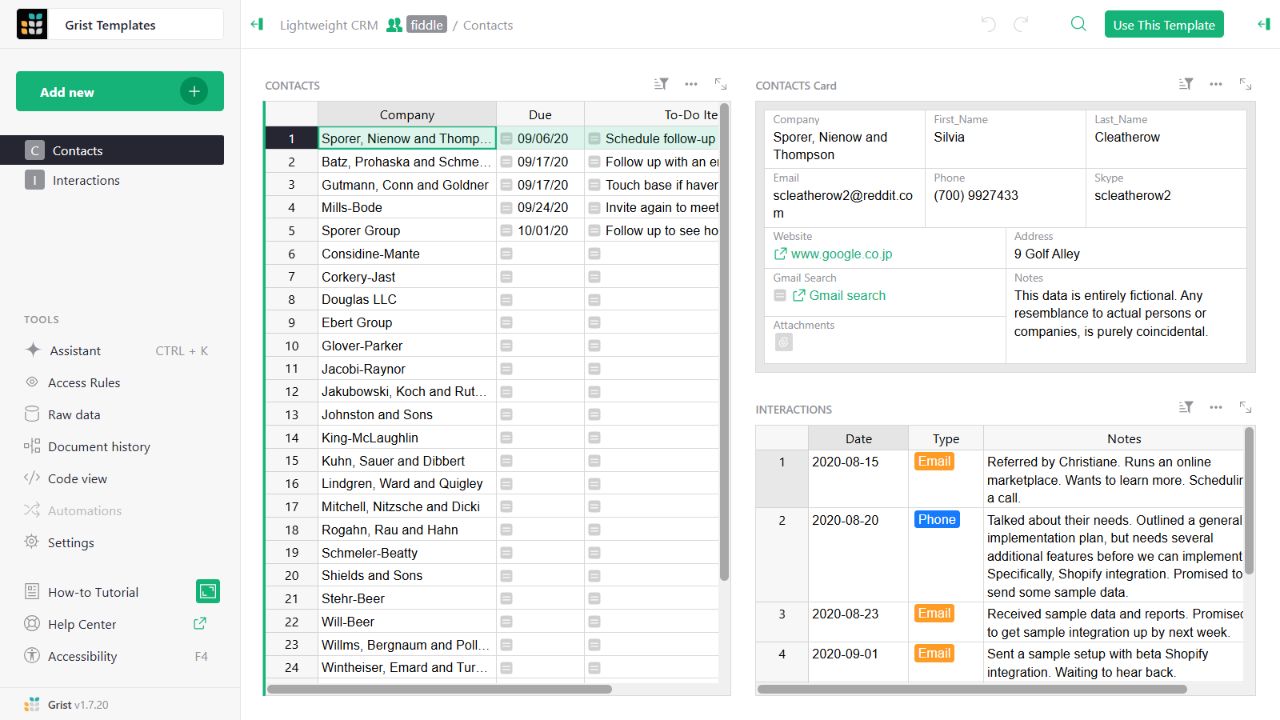
- Contact gridThe left widget lists sample companies and follow-up tasks.
- Detail cardThe upper-right widget presents fields for the selected contact.
- Related interactionsThe lower-right widget displays the sample interaction history.
Check the facts and their boundaries.
Official documentation supports the product statements. The evaluation procedures and synthetic examples are editorial guidance. We have not independently run the installation, migration or recovery procedures described here.
Form creation, publishing, submission options and unpublishing. Reviewed 2026-11-01.