
Prevent a configuration database, connected data source and imported copy from being mistaken for the same relationship.
Draw the Connection You Mean
The environment reference defines NC_DB as NocoDB’s primary database configuration. The integrations documentation separately describes connections to outside platforms. It names several database integrations, but that overview is not a connector-specific guarantee of read, write, schema changes or synchronization in every edition.
Draw three boxes on your worksheet: NocoDB application, its primary state store and the outside system. Add an arrow for each real flow. An imported file creates another copy with its own identity; it is not evidence that later source edits will appear automatically.
Documentation: NocoDB environment variables · NocoDB integrations
Give Each Connection Its Own Purpose
Use separate credential records for the application’s own storage and the external source. Document the owner, host, database, expected operations and renewal process. Do not assume the same account is appropriate for administration, data entry and a read-only reporting task.
Hypothetical example: an equipment system remains the authoritative source while NocoDB provides an internal review workflow. The team needs to establish whether edits are intended to write back or remain in a review copy. Without that decision, two people can reasonably expect different systems to contain the accepted value.
Verify the Workflow in a Separate Database
Use an isolated dataset with disposable rows and a separate credential. Test the operations actually required, including the behavior when access is refused. Keep schema changes out of the first connection test; first establish that the expected records and field types are visible.
- Record connector, release and edition.
- Read a known test record and compare its identifier.
- If editing is required, change one disposable value and inspect the source.
- Check a decimal, date, empty value and linked record.
- Revoke or restrict the test credential and record the failure behavior.
- Document which system owns the accepted record.
Keep Source Protection and Application Recovery Distinct
Back up the authoritative external system using its own supported procedure. Separately inventory the NocoDB configuration and state that would be needed to reconnect it. A reachable database server is not proof that the interface, access and files can be restored.
If a connector page, edition matrix or exact-release note does not establish the capability, leave it unverified and investigate that requirement before switching a live workflow. An apparently familiar grid should not be used to infer database compatibility.
Connection-role worksheet for a hypothetical external inventory database
This is an illustrative worksheet to adapt to your own evaluation. It is not a measured product test or a claim about results in your installation.
| Role | Question to resolve | Acceptance evidence |
|---|---|---|
| Primary state | Where does NocoDB keep application state? | Recorded configuration and restore plan |
| External source | Who owns and may change the records? | Disposable read/write test |
| Imported copy | Does it update after import? | Explicit update procedure, not an assumption |
| Credentials | What operations are allowed? | Positive and denied-operation checks |
Name the storage role before configuring the connection. Verify operations, ownership and recovery separately for every outside source.
Inspect the official interface evidence
These previously captured interfaces provide orientation. Their versions and dates are distinct from the documentation review above.
Inspect the interface, with its context.
Open a specimen to see the source image and the observations it supports. A vendor demonstration is distinct from a self-hosted installation.
NocoDBHistorical vendor product image · Image identifies v2.3; not the current release
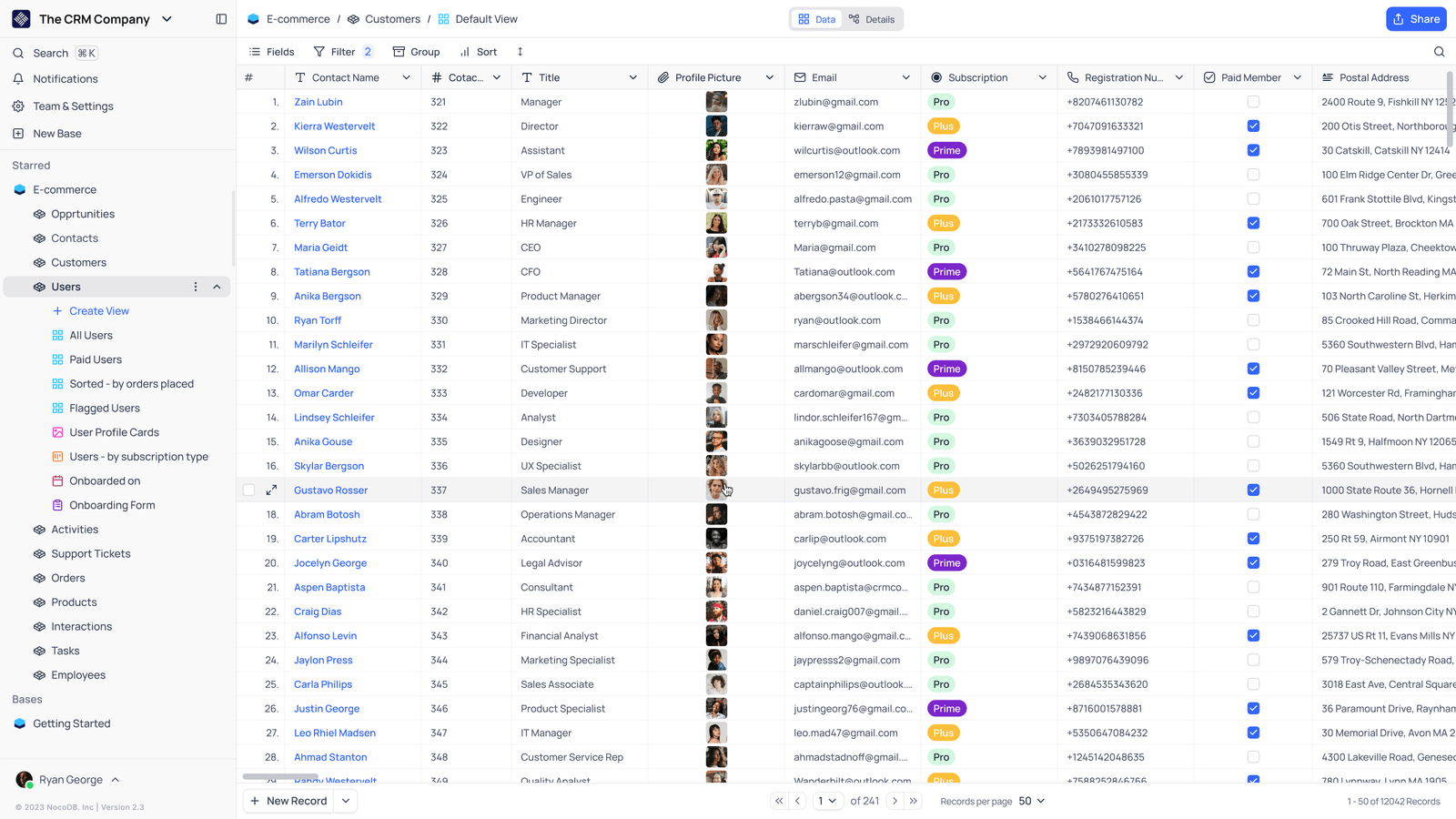
- Saved viewsThe vendor image shows several named views in the left navigation.
- Grid controlsFields, filtering, grouping and sorting appear above the record grid.
- Typed columnsThe example includes text, email and labelled select values. Check the current edition for availability.
Check the facts and their boundaries.
Official documentation supports the product statements. The evaluation procedures and synthetic examples are editorial guidance. We have not independently run the installation, migration or recovery procedures described here.
Configuration meanings; deployment values and supported release must be checked locally. Reviewed 2026-11-01.
Current integration catalogue overview; does not establish every connector operation or entitlement. Reviewed 2026-11-01.